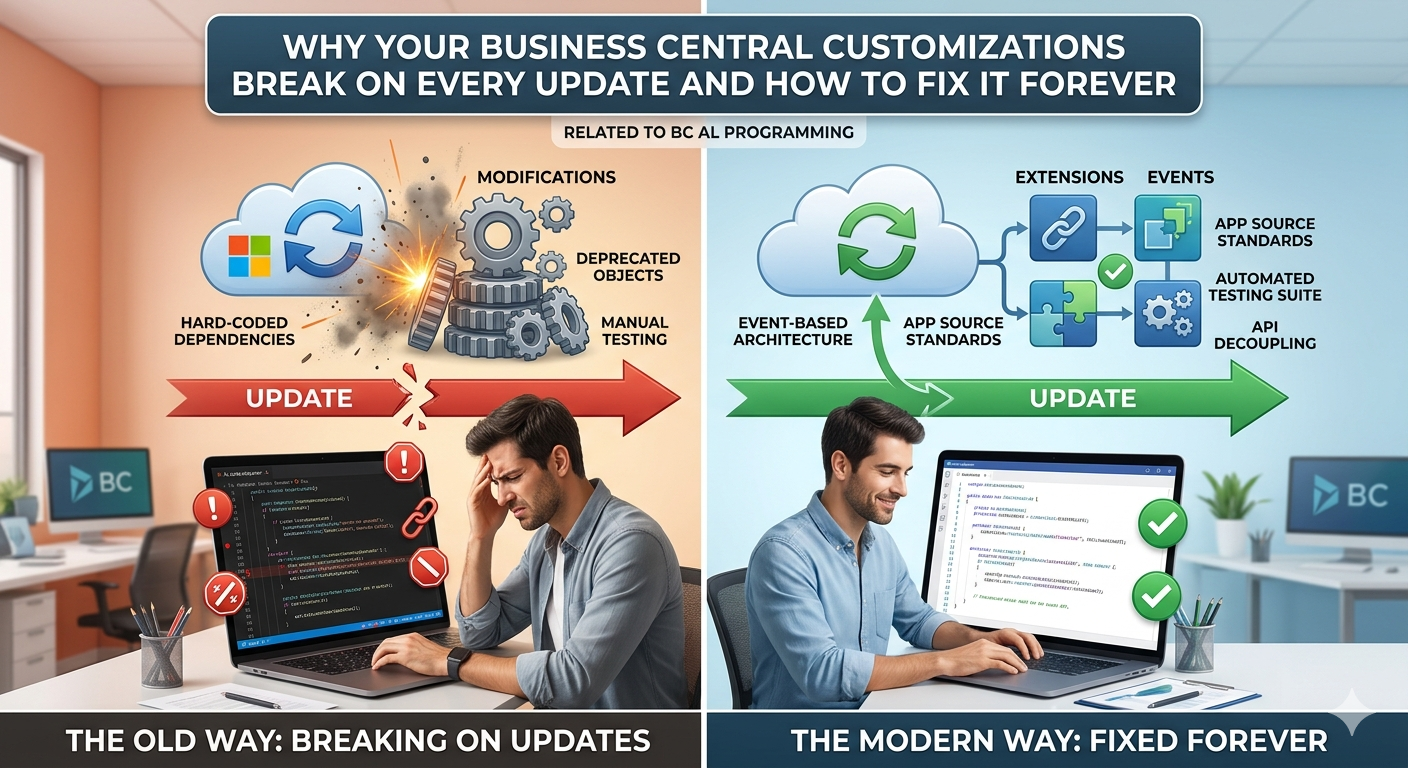
THE PROBLEM
You are a Business Central developer. You have just delivered a customization for a client. It works perfectly. The client is happy.
Three months later Microsoft releases a new BC update. Suddenly your customization throws errors. The base application changed, your modified code conflicts, and now you are spending days fixing something that was already working.
Sound familiar?
This happens because most developers still modify base application logic directly or write code that tightly depends on specific function calls in the base app. When Microsoft changes those functions — and they do, regularly — your code breaks.
There is a better way. It is called Event-Driven Architecture, and Business Central has had the tools built right into AL for it. The feature is called Publishers and Subscribers.
WHAT ARE PUBLISHERS AND SUBSCRIBERS?
Think of it like a notification system.
A Publisher is a piece of code that announces that something has happened. It does not care who is listening or what they do with that information. It just fires the event and moves on.
A Subscriber is a piece of code that listens for a specific announcement and reacts to it. It does not modify the original code. It just hooks into the event and runs its own logic.
This means your customization code never touches the base application. When Microsoft updates the base app, your subscriber still works because it is just listening for the same event — nothing breaks.
REAL WORLD SCENARIO
Your client wants to automatically send an email notification every time a Sales Order is posted in Business Central. The wrong way to do this is to modify the Sales-Post codeunit directly. The right way is to subscribe to the event that the Sales-Post codeunit already publishes when posting is complete.
BUILT-IN PUBLISHER EXAMPLE
Business Central base application already publishes hundreds of events out of the box. Here is the event that fires after a Sales Order is posted inside Codeunit 80 Sales-Post:
[IntegrationEvent(false, false)]
local procedure OnAfterPostSalesDoc(var SalesHeader: Record "Sales Header"; var GenJnlPostLine: Codeunit "Gen. Jnl.-Post Line"; SalesShptHdrNo: Code[20]; RetRcpHdrNo: Code[20]; SalesInvHdrNo: Code[20]; SalesCrMemoHdrNo: Code[20])
begin
end;
You do not write this. Microsoft already wrote it. You just subscribe to it.
YOUR SUBSCRIBER CODE
Now create your own codeunit and subscribe to that event. Your code never touches Codeunit 80. It just listens:
 [EventSubscriber(ObjectType::Codeunit, Codeunit::"Sales-Post", 'OnAfterPostSalesDoc', '', false, false)]
    local procedure OnAfterPostSalesDoc(var SalesHeader: Record "Sales Header"; var GenJnlPostLine: Codeunit "Gen. Jnl.-Post Line"; SalesShptHdrNo: Code[20]; RetRcpHdrNo: Code[20]; SalesInvHdrNo: Code[20]; SalesCrMemoHdrNo: Code[20])
    var
        EmailMessage: Codeunit "Email Message";
        Email: Codeunit Email;
    begin
        if SalesHeader."Document Type" <> SalesHeader."Document Type"::Order then
            exit;
        EmailMessage.Create(
        '[email protected]',
        'Sales Order Posted - ' + SalesHeader."No.",
        'Sales Order ' + SalesHeader."No." + ' has been posted successfully for customer ' + SalesHeader."Sell-to Customer Name"
        );
        Email.Send(EmailMessage, Enum::"Email Scenario"::Default);
    end;
That is it. No base app modification. No risk of breaking on update. Clean, isolated, upgrade-safe code.
CREATING YOUR OWN CUSTOM PUBLISHER
You are not limited to subscribing to Microsoft events. You can create your own publishers inside your custom codeunits so other developers or extensions can hook into your logic too.
 procedure ProcessApproval(var PurchaseHeader: Record "Purchase Header")
    begin
        OnBeforeApprovalProcessed(PurchaseHeader);
        // your approval logic here
        PurchaseHeader.Status := PurchaseHeader.Status::Released;
        PurchaseHeader.Modify(true);
        OnAfterApprovalProcessed(PurchaseHeader);
    end;

    [IntegrationEvent(false, false)]
    procedure OnBeforeApprovalProcessed(var PurchaseHeader: Record "Purchase Header")
    begin
    end;

    [IntegrationEvent(false, false)]
    procedure OnAfterApprovalProcessed(var PurchaseHeader: Record "Purchase Header")
    begin
    end;
Now any other extension or developer can subscribe to OnBeforeApprovalProcessed or OnAfterApprovalProcessed without touching your codeunit at all. You have just made your own code extensible and upgrade-safe.
SUBSCRIBING TO YOUR CUSTOM PUBLISHER
[EventSubscriber(ObjectType::Codeunit, Codeunit::"Custom Approval Manager", 'OnAfterApprovalProcessed', '', false, false)]
    local procedure SendApprovalNotification(var PurchaseHeader: Record "Purchase Header")
    var
        EmailMessage: Codeunit "Email Message";
        Email: Codeunit Email;
    begin
        EmailMessage.Create(
        PurchaseHeader."Buy-from Vendor Name",
        'Purchase Order Approved - ' + PurchaseHeader."No.",
        'Your Purchase Order ' + PurchaseHeader."No." + ' has been approved and released.'
        );
        Email.Send(EmailMessage, Enum::"Email Scenario"::Default);
    end;
BUSINESS EVENT VS INTEGRATION EVENT
There are two types of publishers in AL and choosing the right one matters.
IntegrationEvent is the standard event type for most scenarios. It is lightweight, does not pass parameters by reference unless you explicitly declare them as var, and is ideal for triggering external actions or notifications after something happens.
BusinessEvent is used when the event represents a significant business action that other extensions or external systems might need to react to. It is stricter — once published, Microsoft discourages changing the signature because external subscribers depend on it.
Use IntegrationEvent for internal extension communication. Use BusinessEvent when building a platform or AppSource app that other developers will integrate with.
GLOBAL VS LOCAL PUBLISHERS
When you declare an IntegrationEvent with the first parameter as true it means the event is global and any extension in the same BC environment can subscribe to it. When it is false the event is scoped to the same extension only.
[IntegrationEvent(false, false)] // First false = not global, second false = not isolated
[IntegrationEvent(true, false)] // First true = global, any extension can subscribe
For most internal customizations use false. For AppSource apps or platform extensions use true.
KEY RULES TO REMEMBER
Never put business logic inside a Publisher procedure. The publisher body must always be empty. All logic goes into the Subscriber.
Always use var on record parameters in your publisher signature if you want subscribers to be able to modify the record values.
Subscribers execute in an undefined order by default. If order matters use the RunTrigger parameter or manage dependencies carefully.
Always name your subscriber codeunits clearly so other developers know what they do at a glance.
Test your subscribers in isolation. Because they are decoupled from the publisher you can unit test them independently.
THE RESULT
Before using events your customization was fragile. Every BC update was a potential breaking change. Every base app modification was a liability.
After using Publishers and Subscribers your code is completely decoupled from the base application. Microsoft can update Codeunit 80 however they want. Your subscriber does not care. It just listens for the event and does its job.
Your customizations become upgrade-safe, maintainable, and extensible by design.
Happy Coding!